
Direct Answer
What is mobile access control
Mobile access control is a security method that uses a smartphone as the credential to open a door. A digital credential is issued over the air to the device, and the phone communicates with a door reader via NFC, Bluetooth Low Energy, or ultra-wideband. Administrators grant and revoke access remotely, so no one needs a physical key.
Not long ago, managing access in a building meant drawers full of spare keys, stacks of access cards, and the occasional phone call from someone who had misplaced theirs again.
For many property teams across Malaysia, that routine is starting to evolve.
Nowadays, residents and tenants can unlock their home doors by tapping their mobile phones remotely, without inserting a physical key as before. On the surface, it sounds like a simple upgrade.
In practice, it quietly reshapes how you and the team manage access across your entire property.
Instead of issuing cards during move-ins or chasing keys during handovers, you can update permissions from a single platform called PMS in seconds. For property developers dealing with multi-unit buildings, that kind of operational control is priceless.
In this guide, you will learn what mobile access control is, how the technology works, how it compares to traditional methods, and what to consider before adopting it for your property.
What is Mobile Access Control
Mobile access control replaces a physical key or fob with a digital credential kept on a smartphone. It simply means your phone becomes the key you carry.
Every mobile access control system has three parts. Here are the following:
- The credential. A cryptographic key stored on the phone, either inside a vendor app or in a mobile wallet. The digital key isn’t a photo or a static barcode. It’s a secret code that the lock reader verifies, but people can’t replicate it just by looking at the phone screen.
- The reader. The hardware at the door. The reader communicates with the smartphone via a short-range radio link and relays the resident-triggered signal to a controller, which releases the lock.
- The management platform. The centralized platform where access rules are stored. The system that justifies who can open which door, on which days, and between which hours. Cloud platforms let you manage all your property sites from a single dashboard.
In the meantime, you’ll come across the same technology under names like mobile credentials, smartphone door access control, phone access control, or digital keys. They describe the same thing.
Mobile credential vs mobile access control system
A mobile credential is the digital key stored on a resident’s phone. On the other hand, a mobile access control system involves the entire setup, including credentials, readers, controllers, and the main software
How Mobile Access Control Works: The Technology Explained
Direct Answer
Mobile access control replaces a physical credential with an encrypted digital one stored on a smartphone, verified wirelessly in under a second.
Mobile access control replaces a physical credential (a card, key, or fob) with a secure digital credential stored on a smartphone.
When a user scans their phone to a smart lock, the reader verifies that credential and sends an unlock signal to the door controller, all in under a second.
A mobile access control system operates in 4 steps, from when an administrator creates a user via the mobile app to when the door unlocks or locks and the entry record is logged in the system.
- The administrator creates the new user and assigns permissions in the app. Access is set by door, schedule, or role.
- The credential is sent to the resident’s phone primarily via a vendor’s app, a mobile wallet pass, an email link, or a QR code. The process does not require a physical access handover, such as traditional keys. The new starter in another city can receive his access before moving in.
- The phone and the smart lock reader authenticate each other at the door using NFC, Bluetooth Low Energy, or ultra-wideband. Both sides verify each other and permit access.
- The controller releases the smart lock and records the event in the audit log. The smart lock system’s log records who opened which door and when. Failed attempts are logged too, and most platforms can alert your resident to them through the app.
The part that most changes the user experience is the radio technology between the phone and the reader. There are three in use.
There are three wireless protocols commonly used to make this happen:
Bluetooth Low Energy (BLE)
BLE is the most widely used protocol in modern mobile access systems. It works at a range of up to several meters, which means the door can begin authenticating before you take your phone out of your pocket.
This hands-free experience is one of the main reasons BLE has become the default in newer installations.
NFC (Near Field Communication)
NFC requires you to tap your phone within a few centimeters of the reader, the same technology behind contactless payments.
It is fast, familiar, and works reliably in high-traffic areas like lobbies and car parks. Most modern Android phones and iPhones support NFC natively.
UWB (Ultra-Wideband)
UWB is the newest of the three and offers highly precise location awareness. It can distinguish which door you are standing in front of with centimeter-level accuracy.
You will find UWB in premium systems designed for large or complex properties where precision matters.
Where the unlock credential is stored
Every mobile access control system has a unique storage mechanism for managing smart lock credentials, featuring encrypted data.
- Vendor app. The credential remains within the access control provider’s app, such as RaizoSmart, and is easily managed by the user. The app works on nearly all phones, available on both the Apple App Store and the Google Play Store, and requires a download and an account.
- Mobile wallet. The credential is kept in Apple Wallet, Google Wallet, or Samsung Wallet. The user doesn’t need to switch on the phone if express modes are enabled. They only tap the phone to the reader for a second, and the door unlocks. Best user experience available, supported by fewer vendors.
- Secure element vs host card emulation. A secure element is a dedicated chip with storage that is harder to attack. Conversely, host card emulation (HCE) manages the credential within the phone’s main operating system, running on the device’s software. Enquire with your vendor which type they offer.
Table 1: NFC vs BLE vs UWB
NFC | Bluetooth LE | UWB (with BLE) | |
Range | A few centimeters | Up to several meters | Several meters, distance measured |
User action | Tap the phone | In-app tap or hands-free | Hands-free |
Relay attack exposure | Very low, range limited | Documented, needs mitigation | Low time-of-flight ranging |
Battery use | Lowest | Low | Higher |
Phone support | Nearly universal | Universal | Newer devices only |
Best for | High-security doors, lifts, turnstiles | Main entrances, car parks, daily use | Hands-free entry where security matters |
You can check out the tutorial about the Raizo mobile app setup that gives users seamless access.
Why Mobile Access Control Is Replacing Traditional Keys
Direct Answer
Mobile access removes the operational costs brought by physical credentials, including duplicated keys, missing access keycards, frequent key replacement, and manual coordination for temporary visitor access.
Physical keys made sense when buildings were smaller and simpler to manage. In today’s residential condos, serviced apartments, and commercial buildings, they create the same familiar headaches:
- Keys get duplicated easily without anyone realizing.
- Access keycards go missing during tenancy transitions
- Residents request key replacements more often than expected
- Arranging temporary visitor access requires manual coordination
None of these problems is serious on its own. But when they get together, they quietly consume hours every week, hours your team could spend elsewhere.
Mobile access control changes the dynamic. Instead of managing physical keys, you manage only permissions. Access becomes something you adjust, not something you hand over and hope it comes back automatically.
How a credential is issued and used in the Raizo case
When you add a new resident or staff member to your access system, the platform generates a secure digital credential and sends it to their smartphone via a smart app, such as RaizoSmart, offering your tenants and residents seamless access.
That credential is encrypted and stored in a protected area of the device, similar to how a banking app or digital wallet stores sensitive data.
When the user taps their phone to a reader, the credential is verified, and the door controller releases the lock. The entire process is logged with a timestamp and user identity, giving you a complete audit trail.
Types of mobile access control systems
Direct Answer
Mobile access control systems are categorized into three advanced types: by credential type, deployment, and door hardware. Most Malaysian properties cover all three types.
By credential type: app, wallet, QR, and link
- Vendor app. The default access management for permanent staff and residents. Reliable, but every household member needs to download the app and register an account.
- Wallet pass. Stays inside prominent apps, such as Apple Wallet, Google Wallet, and Samsung Wallet. The user doesn’t have to unlock their phone, and the system works perfectly even with the screen off (if express features are enabled). The wallet feature offers the strongest daily experience, available from a smaller set of vendors.
- QR code. Good enough for visitors and short-term contractors who opt for temporary visits or stays. However, a QR code is weak for permanent users because anyone can take a screenshot of a static code embedded in a clear image and forward it to others.
- One-time link. The user sends the time-limited link through SMS or email, without requiring a download. A one-time link is Useful for deliveries, inspections, and weekend maintenance crews.
By deployment: cloud, on-premises, and hybrid
- Cloud-managed. A hosted platform from a property owner holds the permissions. One dashboard covers every property site, and your staff receives automatic updates without visiting each site. This is the fastest option for organizations operating multiple buildings.
- On-premises. The main server lives in your residential building. People choose on-premises deployment when a policy or regulation explicitly states that data access can’t leave the property.
- Hybrid. Existing controllers remain where they are, and cloud management is integrated via compatible cloud gateways, smart controllers, or network bridges.
By door hardware: wired, wireless, and offline
- Wired readers and controllers. Wired readers and controllers can be seen at main entrances, lifts, and turnstiles. The hardware is powered and networked, so a revoked credential stops working instantly.
- Wireless locks. Wireless smart locks are battery-powered and communicate with a main hub within the smart home ecosystem. They are usually cheaper per door, making them practical for interior offices, meeting rooms, and store cupboards.
- Offline locks. Offline smart locks do not need a network connection at all. The lock system writes the permissions into the credential itself (or syncs them to the mobile app beforehand) and checks them at the door. The hardware covers basement car parks, remote gates and plant rooms.
In fact, most property sites in Malaysia cover all three hardware types. So the actual question to ask a vendor isn’t which type they support; it’s whether they can manage all three from a single dashboard.
Mobile Access vs. RFID Cards vs. PIN Codes: Side-by-Side Comparison
Direct Answer
Smart door locks feature multiple unlock methods, including mobile access, RFID cards, & PIN codes. These unlock methods differ in credential type, clonability, remote revocation, audit trail, move-in/move-out effort, lost-credential impact, data exposure risk, and typical use.
Modern smart locks in Malaysia support several entry methods. Here is a direct comparison from an operational standpoint:
Factor | RFID Card / Key | Mobile Access | PIN Code |
|---|---|---|---|
Credential type | Physical card/key | Digital, device-bound | Shared PIN code |
Can be cloned or shared? | Yes | No, tied to one device | Yes |
Remote revocation? | No | Instant | Partial |
Audit trail? | None | Full, timestamped per user | Limited |
Move-in / move-out effort | High, physical distribution | Low, issued remotely | Medium |
Lost credential impact | Requires replacement | Deactivated in seconds | PIN must be changed |
PDPA / data exposure risk | Low | Medium, needs vendor review | Low |
Typical use in Malaysia | Most common today | Growing in new developments | Secondary / visitor access |
Many properties in Malaysia are moving toward a hybrid approach. Mobile access as the primary method, with RFID cards as a backup for residents who need one. This gives you the control and auditability of mobile credentials without leaving anyone behind.
Everyday Access Problems Mobile Control Solves
Direct Answer
Mobile access control eliminates daily access issues: lost cards or keys, unreturned credentials after move-out, shared PINs between users, limited visibility during incidents, and manual vistor coordination.
Across most developments, access problems tend to repeat themselves. Mobile access control addresses many of them in the background:
- Lost cards or keys: No replacements needed. The system removes the permissions and reissues it digitally.
- Unreturned credentials after move-out: Access expires when the tenancy ends. No chasing required.
- Shared PINs between residents or staff: Each user authenticates on their own verified device.
- Limited visibility during incidents: Entry logs clarify who accessed which area and when.
- Manual visitor coordination: your team can issue temporary access codes remotely without physical handover.
Over time, these small improvements remove a surprising amount of friction from daily operations and reduce the complaint volume your team has to manage.
Is Mobile Access Control Secure?
Direct Answer
Yes. Digital credentials are significantly harder to duplicate or transfer than physical cards or keys, and permissions can be revoked instantly if a mobile access device is lost.
Security is usually the first concern raised when mobile credentials come up, and it is a fair one, especially given PDPA obligations and the sensitivity of resident data.
Anyone can duplicate the keycard easily. A mobile credential, by contrast, is tied to a specific device and authenticated through the phone’s own security layer, PIN, Face ID, or fingerprint. Your residents can’t simply hand it over to anyone else.
Most systems also offer:
- Immediate revocation, permissions removed the moment a device is reported lost, or a tenancy ends
- Encrypted credential storage on the device, not accessible to other apps
- Cloud-based administration with role-based access controls
- Full entry history available for audit or incident review
For properties that handle resident data, it is worth asking any vendor how the data is stored, where it is hosted, and what happens if the cloud system goes offline. A reputable supplier, like Raizo Malaysia, will have clear answers to all three questions.
The Benefits of Mobile Access Control
Direct Answer
The advantages of mobile access control include convenience, eliminating lost access cards, two-factor authentication, a single credential across every site, an audit trail, no visitor queues, and an environmentally friendly, less plastic-intensive approach.
Convenience: One less thing to carry
Here’s an interesting fact: People often forget physical cards, but they don’t forget their smartphones, which they always carry. Homeowners tend to keep the card in a wallet, on a desk, or maybe in a jacket, only to find it missing when they’re standing at the front door.
According to a KPMG survey, 74% of users are more likely to notice a missing phone than a wallet, which is why a mobile phone credential is a more reliable solution than a key card.
Mobile access simplifies the daily experience. Users only need to walk up to the door, tap the button in the smartphone app, and unlock, eliminating the time-consuming morning queue at reception while staff prints a replacement.
You stop paying for lost cards
According to figures from Proxy’s 2019 Physical Security Trends Report cited by Security Magazine, 17.3% of physical credential users lose at least one key or fob each year. Every loss costs key stock and your team’s time, time that could have been spent providing valuable services.
Two factors, no extra hardware
The smartphone already requires a fingerprint or face recognition to unlock, so the mobile credential provides a second factor at no extra cost.
Two-factor authentication has become the primary approach many organizations are adopting. According to HID’s 2026 State of Securit and Identity Report, 50% of respondents who have adopted mobile credentials have seen security improvements, compared with 34% for convenience. That’s a shift from where the conversation was a few years ago.
One credential across every site
Your staff carries only a single credential, rather than three physical keys or cards, when moving between the residential buildings.
An audit trail that names people
Homeowners can check the registered individual, the door, and the timestamp for every unlock and lock event on their phone to avoid unnecessary disputes.
For instance, when your resident is investigating an incident and checking who unlocked his door without permission, the terms ‘card 4471 opened the door’ and ‘Nick opened the door’ can make the difference between an investigation and a dead end.
Visitors without a queue at reception
A contractor or cleaner receives a time-limited passcode from the homeowners that expires automatically before anyone else arrives.
For example, the contractor gets access to a household within a specific timeframe, from 7 am to 3 pm. That means no one needs to wait at the front desk requesting a physical card or key.
Less waste and less plastic
We all know most access cards are made with PVC. A residential building with more than 500 property units that issues replacements for typical losses often receives hundreds of cards over a few years. The material doesn’t recycle well and pollutes the planet because a simple PVC card with an embedded chip and antenna is a mixed material.
Luckily, mobile credentials help eliminate that stream. You don’t need a card printer, don’t need to reorder card stock, physically send replacements, or dispose of dead cards that are detrimental to the environment.
The honest framing from us: This benefit doesn’t carry a real business case on its own. The mobile credential reduces consumables and shipping, and it’s a line that is more importantorganizationstions reporting against ESG commitments or pursuing a green building certification, where material waste and procurement both count.
How Mobile Access Improves Resident Experience
Direct Answer
Mobile access helps enhance the resident experience by eliminating waiting during move-ins, trips to the management office for card replacements, friction when arranging visitor entry, and delays when staff need temporary access.
Residents rarely talk about access systems directly. They do talk about whether a building feels convenient, smooth, and well-managed. That impression often starts at the door.
Mobile access helps remove:
- Waiting during move-ins while it has prepared credentials in advance
- Trips to the management office for card replacements
- Friction when arranging visitor or contractor entry
- Delays when staff need temporary access updated
For developers, this translates into a stronger buyer proposition. Smart access is now one of the features that buyers in the mid-to-upper segment actively look for and one they will mention in reviews and referrals.
What Happens When a Phone Is Lost or Stolen?
Direct Answer
When the resident lost his smartphone, a mobile credential is deactivated, access disappears immediately, no lock changes, and no reissuing to other residents.
This is almost always the first question asked during evaluation, and the answer is one of mobile access control’s strongest selling points.
When a physical card goes missing, it continues to exist somewhere. There is no guarantee someone will pick or steal it.
When a mobile credential is deactivated, access disappears immediately from the management dashboard in real time, without changing the lock or reissuing credentials to other residents.
The property team retains control at all times. The device being lost does not mean access is compromised.
Is It Suitable for Residential, Commercial, and Hospitality Properties?
Direct Answer
Yes. the operational benefits show up differently in each context: residential developments, commercial buildings and serviced offices, and hotels and serviced apartments.
Residential developments
Residents use their own devices, visitor access is easier to arrange, and the property aligns with what today’s buyers increasingly expect from a modern development.
For developers, it also simplifies the handover process at the point of vacant possession.
Commercial buildings and serviced offices
Access can be tied to staff roles and departments, updated instantly when someone joins or leaves, and reviewed easily if an incident occurs.
Departments can have different access zones without separate physical key systems.
Hotels and serviced apartments
Mobile credentials can replace physical key cards entirely for guests, with check-in credentials delivered directly to a phone from the guest before they arrive.
This reduces front desk congestion and improves the check-in experience, particularly relevant for self-check-in properties.
In all three contexts, reliance on physical credentials gradually decreases, and the operational overhead that comes with them decreases along with it.
Common Myths About Mobile Access Control
Direct Answer
Common myths of mobile access include that phones are easier to compromise than access cards, that only the latest smartphones work for mobile access, that mobile access doesn’t work beyond replacing keys, and that a dead phone battery locks residents out.
“Phones are easier to compromise than access cards.”
In practice, the opposite is true. People can clone physical cards easily with inexpensive hardware available online.
Mobile credentials are encrypted, device-bound, and protected by the phone’s own biometric or multi-factor authentication.
“Mobile access only works if residents have the latest smartphones.”
Most mobile access systems support Android phones from the last five years and iPhones from the iPhone 6 onwards. NFC and BLE are standard features on all current devices.
Residents without compatible phones can use a physical card or mechanical key as a backup.
“Mobile access just replaces keys; nothing else changes.”
Mobile access also simplifies visitor management, tenancy transitions, contractor access, and integration with property management platforms.
The credential management benefit is often larger than the unlocking convenience itself.
“A dead phone battery will lock residents out.”
Residents or tenants can still unlock the door with other unlock methods that don’t require phone access, such as PIN, RFID card, and mechanical keys.
What to Look for in a Mobile Access Control Provider
Direct Answer
Long-term satisfaction with a smart access system depends largely on the supplier’s project experience, local support, system integration, reliability, and approach to data security, rather than only the mobile access features.
Beyond features, long-term satisfaction with a smart access system typically depends on the quality of the support behind it.
Based on a company over 20 years of working with top property developers such as Mah Sing, EcoWorld, and Iconic, and more across Malaysia, these are the questions worth asking before you commit:
- Do they have completed projects in similar developments, like condos, serviced apartments, and commercial?
- What does after-sales support look like? Is there a local team?
- How does the system integrate with your existing property management system?
- What happens if the cloud system goes offline? Does the door still function?
- Are there clear, documented answers on data storage and PDPA compliance?
A supplier with a strong project track record and local support will give your procurement and technical teams far fewer surprises during and after installation.
The Direction Access Control Is Heading in Malaysia
Direct Answer
Smart access adoption is accelerating because hardware is becoming more affordable, software is more mature, and residents increasingly expect convenient mobile access as standard.
Many properties have had mobile access control globally for several years. Recently, hardware costs have dropped, software has matured, and residents and tenants now expect it to be available.
In Malaysia, adoption is accelerating in mid-to-high-end residential developments and commercial properties, with growing integration in co-living spaces.
According to IMARC Group, Malaysia’s access control market reached USD 104.54M in 2024 and is projected to grow to USD 234.47M by 2033, exhibiting a growth rate of 9.02% during 2026-2034, driven by rapid urbanization and smart city initiatives.
The question for most developers is no longer whether to include smart access; it is which system to choose and how to implement it without disrupting the project timeline.
For properties that get the access control right, the result is cleaner operations, fewer complaints, and a tangible differentiator in a competitive market.
Ready to Explore Mobile Access Control for Your Property?
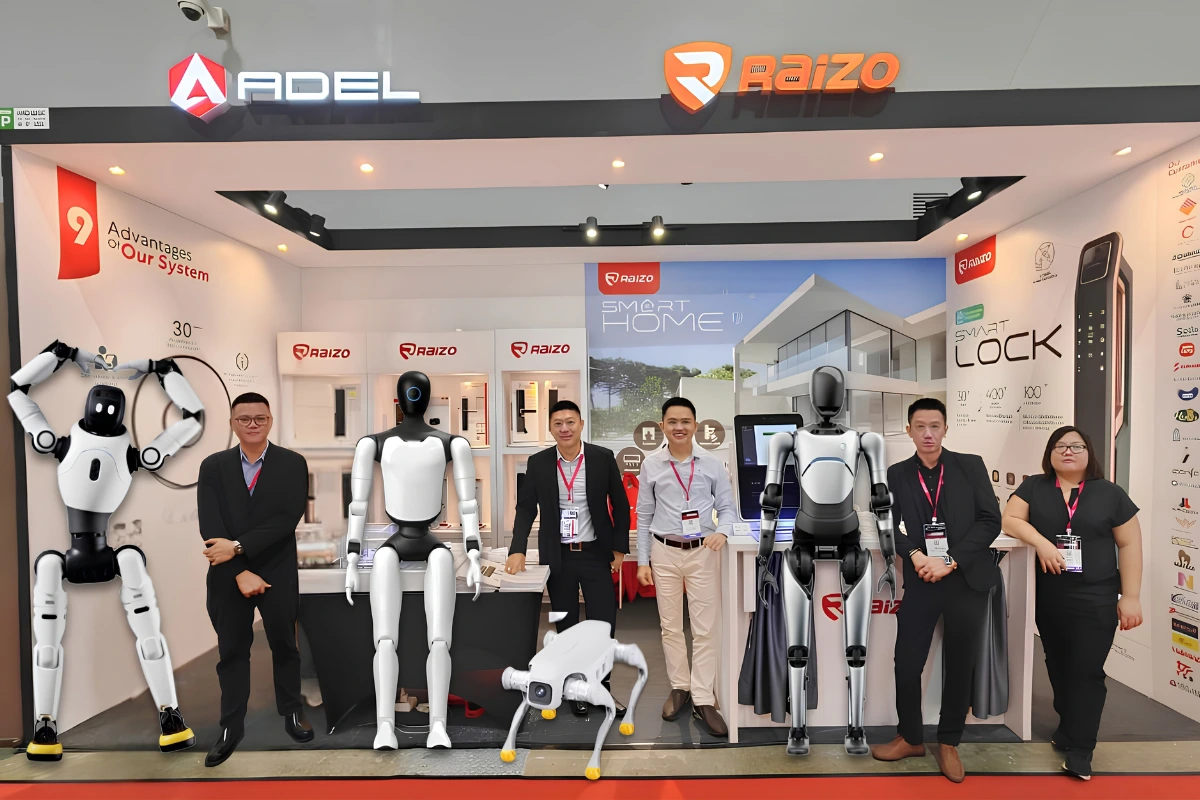
Raizo has been working with property developers and managers across Malaysia for over 20 years, with more than 500 completed projects across residential, commercial, and hospitality developments.
If you are evaluating smart access with an advanced mobile access control system for an upcoming project or looking to upgrade an existing system, we can walk you through what works for your property type without the sales pressure.
Explore our smart door lock solutions with mobile access features or get in touch with our team to discuss your project.