
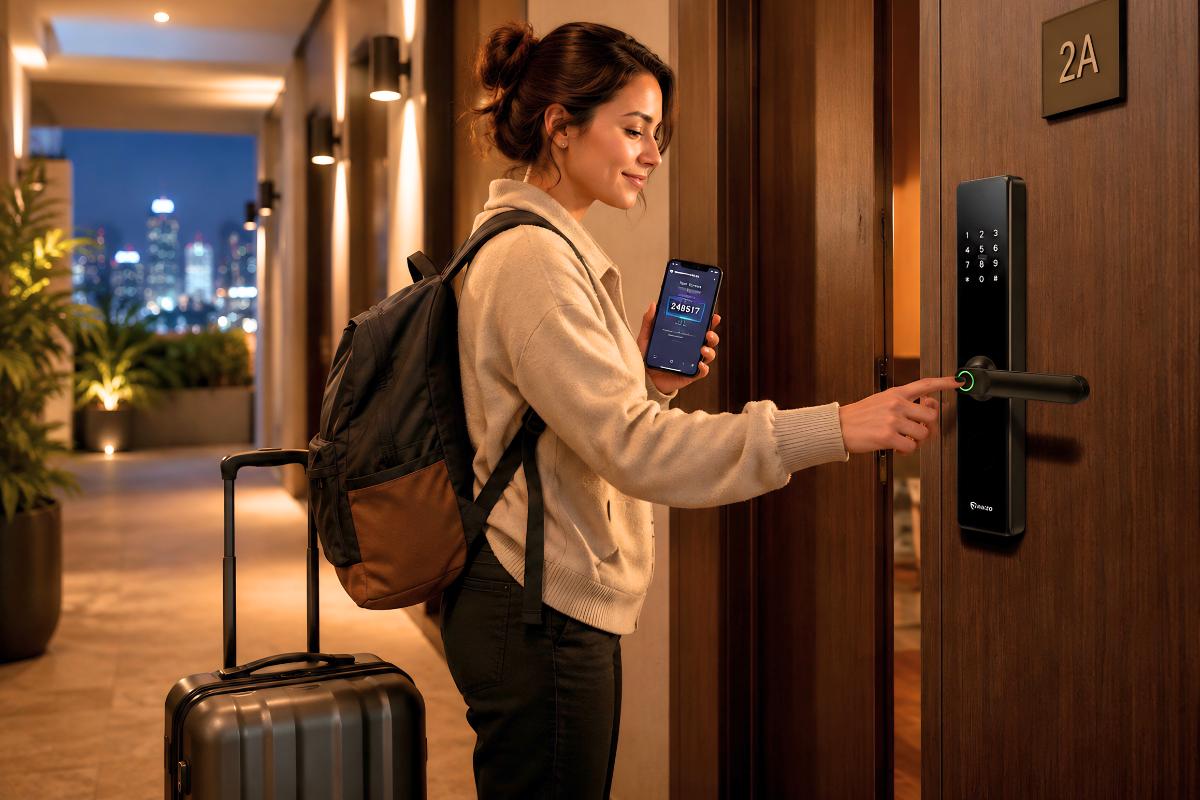
Being an Airbnb host requires handling multiple tasks simultaneously, especially during check-in.
It becomes chaos when operations are done manually. They can be:
Constant Missed calls from guests
Guest late arrivals
Manual Key handovers
Guests lost their keys or had them stolen
And more.
When they all come together as one, it becomes a huge problem that hurts business ROI, guest experience, and efficiency.
Self-check-in has become an effective solution that helps many Airbnb hosts manage guest arrivals.
Many Airbnb hosts are opting for self-check-in systems, which are a combo of both smart door locks and kiosks.
As a result, guests enjoy a faster and seamless arrival experience without going through a complicated check-in routine.
In this article, we’ll walk through how the check-in system works, what both those 2 devices do, and how Airbnb hosts can determine which device fits their property.
Table of Contents
If you mention self-check-in, you should probably know it.
It means that guests can enter the property without meeting the Airbnb host in person, even if it’s late at night.
Some common self-check-in technologies include kiosks, smart door locks, mobile access, and digital codes.
Many hosts use these technologies for a few common reasons that make their operations easier to handle:
Hosts and teams don’t have to manage the check-in process at the front desk 24/7 manually
Kiosks and smart door locks streamline check-in, enabling guests to seamlessly register upon their arrival.
Guests can check in at their convenience, even late at night, without the staff’s presence and assistance.
No more lost or duplicated keys, which increases operational costs and the risk of unauthorized entry
Guests can enter their booked unit via a simple, direct check-in process without contacting the host.
The self-check-in process becomes simplified and convenient when kiosks and smart locks work together. Here’s what the step-by-step routine looks like
Guests receive their temporary access credentials and proceed to their assigned units after identity verification.
As a consequence, your Airbnb teams and guests experience a faster arrival process without manual interruptions that affect efficiency.
Physical keys were once the standard unlock method for Airbnb properties. As time goes by, the access methods have evolved, becoming more advanced.
The demand for physical key handovers is low for modern Airbnb operations as guest expectations evolve.
Here’s why:
These problems become challenging to handle when Airbnb hosts operate various units simultaneously. For that reason, the businesses are leaning toward organized smart access systems.
Keyless access methods are not merely a simple tech upgrade. They serve as a practical way to reduce friction in every stage of check-in.
Many properties are using smart locks today, replacing traditional door locks.
They enable your guests to unlock the door in just a few seconds without using physical keys.
Some common unlock methods that a smart lock has include:
That said, properties manage access remotely on a unified system, eliminating the need to sit at the front desk to handle repetitive manual check-in and key management.
Hosts spend less time handling repetitive manual check-ins and focus on enhancing daily business operations and guest experience.
They can give temporary access to guests and change the users if necessary, without physically contacting them.
This results in enhanced convenience and security for both hosts and guests. Guests feel satisfied with the services provided.
Now let’s look at another powerful device that provides streamlined access for Airbnb businesses: self-check-in kiosks.
A kiosk allows guests to complete their arrival process on their own without needing staff to be physically present.
In fact, kiosks commonly suit the needs of various parties, such as boutique hotels, serviced apartments, condos, and multi-unit Airbnb properties.
Here’s what a kiosk can actually do:
Before selecting a smart door lock system, it’s important to consider the following factors that help prevent access-related issues during daily business operations.
Seamless integration with PMS and kiosks: make the operations and check-in process smoother, managing everything from one system without a complicated workflow.
Here’s something you may realize: managing multiple units is totally different from managing only one Airbnb.
Managing multiple Airbnb units creates complexity in operations, such as:
– More guests
– A higher number of check-ins
– Many access issues that happen frequently
– More coordination among various parties
– More headaches
So that’s why you, as an Airbnb host, definitely need assistance from the latest, advanced automation technologies that do things on their own.
Smart door locks ensure standardized, seamless access for guests, while kiosks help handle guest verification and arrival.
But remember this: they’re not meant to replace the human staff. They support daily operations by reducing repetitive manual tasks that need more manpower and time.
The chances are they’re particularly useful for businesses, like short-term rentals, homestays, and serviced apartments.
As an Airbnb host, things happen unexpectedly, and we can’t expect daily business operations to go smoothly every day. That’s impossible.
When technologies exist, they often have issues that come and go. So it’s important to have a clear picture of them so you can figure out a series of actionable plans.
The common problems can be:
Now, when you have some potential problems in mind, then we’ll go to how to actually prevent them from happening.
Smart locks and kiosks offer an organized, secure guest access experience.
However, the overall security still depends on system quality and how you and your team manage it.
With proper setup, clear guest instructions, and reliable system management, smart access solutions can help Airbnb properties create a safer, more efficient check-in experience.
Temporary codes are common in the Airbnb industry, created for each specific guest.
The reason is simple. You don’t want many guests to have the exact access code at the same time.
The worst-case scenario is that unauthorized visitors may enter your units without proceeding through the proper check-in process. That could be a tremendous problem
The system activates a temporary access credential for guests as soon as they complete check-in.
After checking out, the code automatically expires and becomes invalid.
As a result, it helps you avoid the risk of old guests reusing the same code. This is especially useful for Airbnb hosts with frequent guest turnover.
You normally have a lot of guests who come from different places, both local and international. The departure and arrival are uniquely distinctive since people have work and stuff to deal with.
Guest departure and arrival times are different due to traffic jams, flight delays, or sudden changes in travel schedules.
This is exactly the concern that many Airbnb hosts encounter: some guests usually arrive late at night.
For those reasons, self-check-in kiosks help Airbnb properties support late-night guest arrival after operating hours, when you and your staff aren’t there.
Guests can head directly to their assigned units and unlock the door using the access code provided during check-in.
As a result, your property team receives fewer sudden late-night calls and can manage business operations more efficiently.
Overall, it gives guests a smoother 24/7 arrival experience that leaves a robust guest impression.
If you’re an Airbnb host handling frequent guest arrivals, an automated self-check-in system helps you save manpower and time while reducing manual coordination.
When integrated, smart locks and kiosks create a more efficient and structured guest access system.
The goal here is not only to unlock doors but also to make guest arrival easier, more secure, more manageable, and more memorable.
Are you ready to take a step further? Discover our Raizo smart door lock models with a reliable performance, suitable for multiple units.
WhatsApp us